Last Updated:

Deepak Singla

IN this article
Explore how AI support agents enhance customer service by reducing response times and improving efficiency through automation and predictive analytics.
The difference between automation that looks good in a report and automation that actually works comes down to one thing: are you measuring containment or resolution? Those are two very different numbers, and most teams are tracking the wrong one. Let’s fix that.
TLDR:
Deflection moves tickets around; resolution closes them. Most enterprises sit at 41.2% deflection median.
Start automating where volume is high and judgment is low: password resets, status lookups, and billing FAQs cover 55-70% of ticket volume.
62% of automation project failures trace to a broken knowledge base, not the technology itself.
Measure resolution rate and cost per resolved ticket, not containment rate, or your reporting hides the real outcome.
Fini runs a nightly learning pipeline that auto-detects knowledge gaps and queues fixes, reaching Resolution Rate 90% at 99% accuracy by day 30.
What Customer Support Automation Actually Means in 2026
Customer support automation in 2026 covers a wide range of approaches, from simple rule-based routing that sends billing tickets to the right queue, to autonomous AI agents that resolve issues end-to-end without a human ever touching the ticket. Most enterprises sit somewhere between those two points.
The meaningful distinction is between deflection rate vs. true resolution rate in automation. Deflection moves tickets around or pushes customers toward self-service. Resolution closes the ticket by taking real action: processing a refund, updating an account, pulling policy details, confirming the outcome. According to Zendesk CX Trends 2026, the enterprise deflection median sits at 41.2%, which means most operations are still in deflection territory.
The question for enterprise ops teams is which category your current setup actually belongs to.
The Business Case for Automating Support at Scale
66% of service organizations are already running AI agents, up from 39% the year before. Gartner found 91% of CX leaders under executive pressure to deploy. That’s a board mandate moving down the org chart.
The financial logic is straightforward. Ticket volume grows faster than headcount, and headcount costs scale linearly. Automation that actually resolves instead of deflecting breaks that curve. For teams running hundreds of thousands of tickets per year, the math compounds quickly.
Every quarter without a resolution-rate improvement is another quarter where support cost grows as a percentage of revenue.
What to Automate First: Mapping Tasks to Automation Readiness
Not every ticket is worth automating at the same time. The practical rule: start where volume is high and judgment requirements are low.
Here is a working framework for deciding where to begin.
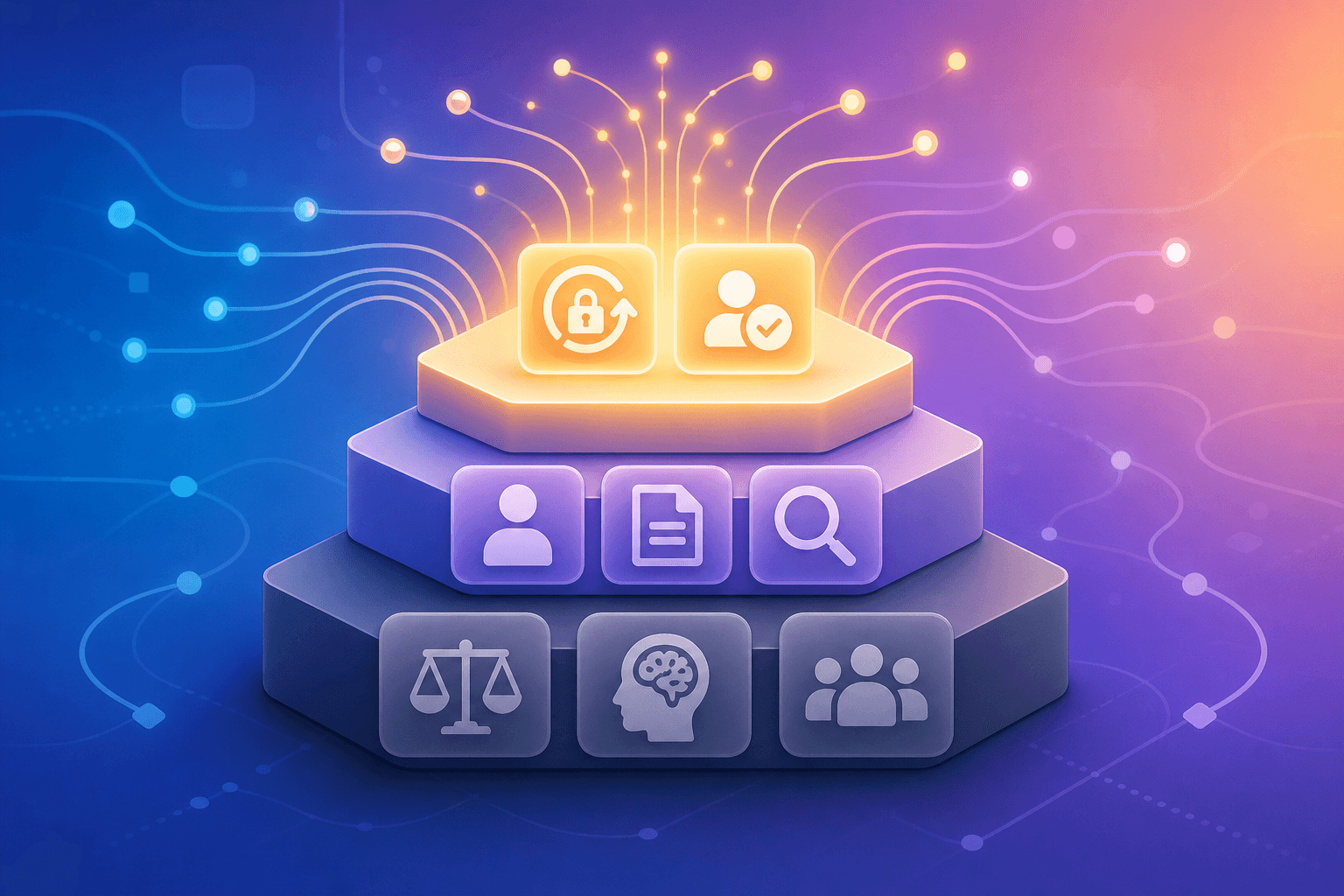
Automate first
Password resets and account unlocks: deterministic, policy-driven, and almost never require judgment.
Order or transaction status lookups: a data fetch with a templated response.
FAQ-level billing questions: high volume, low variance, easy to verify at scale.
Refund eligibility checks against a clear policy: rules-based decisions a system can execute consistently.
Appointment confirmations and cancellations: structured actions with defined outcomes.
Tier-1 support automation tickets make up 55-70% of resolvable volume without humans, according to Builts AI.
Hold for human review
Regulatory complaints or dispute escalations, where a wrong answer creates legal exposure.
High-value account relationship moments that require context a system cannot yet verify.
Issues requiring cross-system judgment calls with no clear policy anchor.
The triage test
Before automating a ticket type, ask two questions. Does the answer follow a policy rule or a data lookup? If yes, a system can handle it. Does getting it wrong carry meaningful customer or compliance risk without a verified escalation path? If yes, keep a human involved until the system has a track record on that ticket type.
Start with high-volume, low-complexity workflows. That gives you proof of performance before you expand scope.
Core Tools for Customer Support Automation
Five categories make up the core automation stack. Each solves a different problem.
Tool category | What it does | When it applies |
|---|---|---|
AI resolution agents | Resolve tickets end-to-end without human review | High-volume, policy-driven ticket types across chat, email, voice |
Automated ticket routing | Classifies and assigns incoming tickets by type, priority, or channel | Any team running multi-queue helpdesk at scale |
IVR and voice automation | Handles inbound calls with structured decision trees or AI reasoning | Phone-heavy support in fintech, healthcare, and utilities |
Self-service knowledge bases | Surfaces answers before a ticket is created | FAQ-heavy products with stable, searchable documentation |
CRM-integrated workflow triggers | Fires actions based on customer data or lifecycle events | Proactive outreach, renewal reminders, account status alerts |
The distinction that matters most is between routing tools and resolution tools. Routing gets the ticket to the right place. Resolution closes it. Most stacks over-invest in routing and under-invest in resolution. Comparing AI platforms: deflection to autonomous resolution shows why deflection numbers look better than CSAT numbers.
Customer Support Automation Examples by Industry
Automation looks different depending on the stakes and the ticket type. Here is how it plays out across major verticals.
Fintech and banking
A customer disputes a transaction. The agent pulls transaction history, checks dispute policy, initiates the chargeback workflow, and sends confirmation without a human touching the ticket. The best AI support for fintech and neobanks handles exactly these journeys end-to-end. Atlas moved from 15% to 70-80% automation on exactly these kinds of journeys.
Healthcare
Appointment scheduling, prescription refill status, and benefits lookups are resolved autonomously. The agent checks EHR data, confirms eligibility, and responds, with every decision logged for HIPAA audit.
E-commerce
Order tracking and return initiation are fully automated. The agent fetches shipment status, triggers the return label, and closes the ticket in one pass.
SaaS
Billing plan changes, seat adjustments, and invoice requests follow defined rules. The agent pulls account data, applies the change, and sends confirmation.
Telecom
Outage status checks and data plan upgrades are resolved without queue wait. The agent reads account state, applies the request, and responds in real time.
How AI Agents Handle Escalation and Bot-to-Human Handoff
A clean handoff and a broken one look nearly identical from the outside until the customer has to repeat themselves. That repetition is the signal.
Well-designed customer service escalation management transfers three things automatically: the full conversation transcript, a structured intent summary, and any relevant customer data already pulled during the session. The human agent picks up mid-resolution, not at the beginning.
What a clean escalation includes
Conversation transcript, timestamped
Intent classification and the action the agent last attempted
Customer account data already retrieved
Reason for escalation (policy limit, ambiguous input, explicit customer request)
Escalation fails when context lives only inside the AI session and doesn’t write back to the helpdesk record. The human opens a blank ticket. The customer restarts. CSAT drops. The fix is routing the handoff through the helpdesk. Every action the agent took should appear as a note on the ticket before the human reads it.
How AI Support Agents Learn and Improve Without Manual Retraining
The fear most ops leads bring into a demo is about week six, when someone has to maintain it.
Most AI support tools require a monthly tuning cycle: someone reviews failures, rebuilds flows, updates the knowledge base by hand, and pushes changes across channels. That cycle becomes a line item and someone’s job title.
A properly built learning loop eliminates that cycle:
Escalated and unresolved conversations are ingested nightly as training signal, identifying where the agent failed or answered with low confidence.
Draft knowledge articles are generated from those gaps and queued for human review.
Once approved, updated knowledge propagates across voice, chat, and email the same day.
Resolved conversations with positive outcomes become reinforcement for future responses.
The human role shrinks to reviewing flagged edge cases. Hours per week, not days.
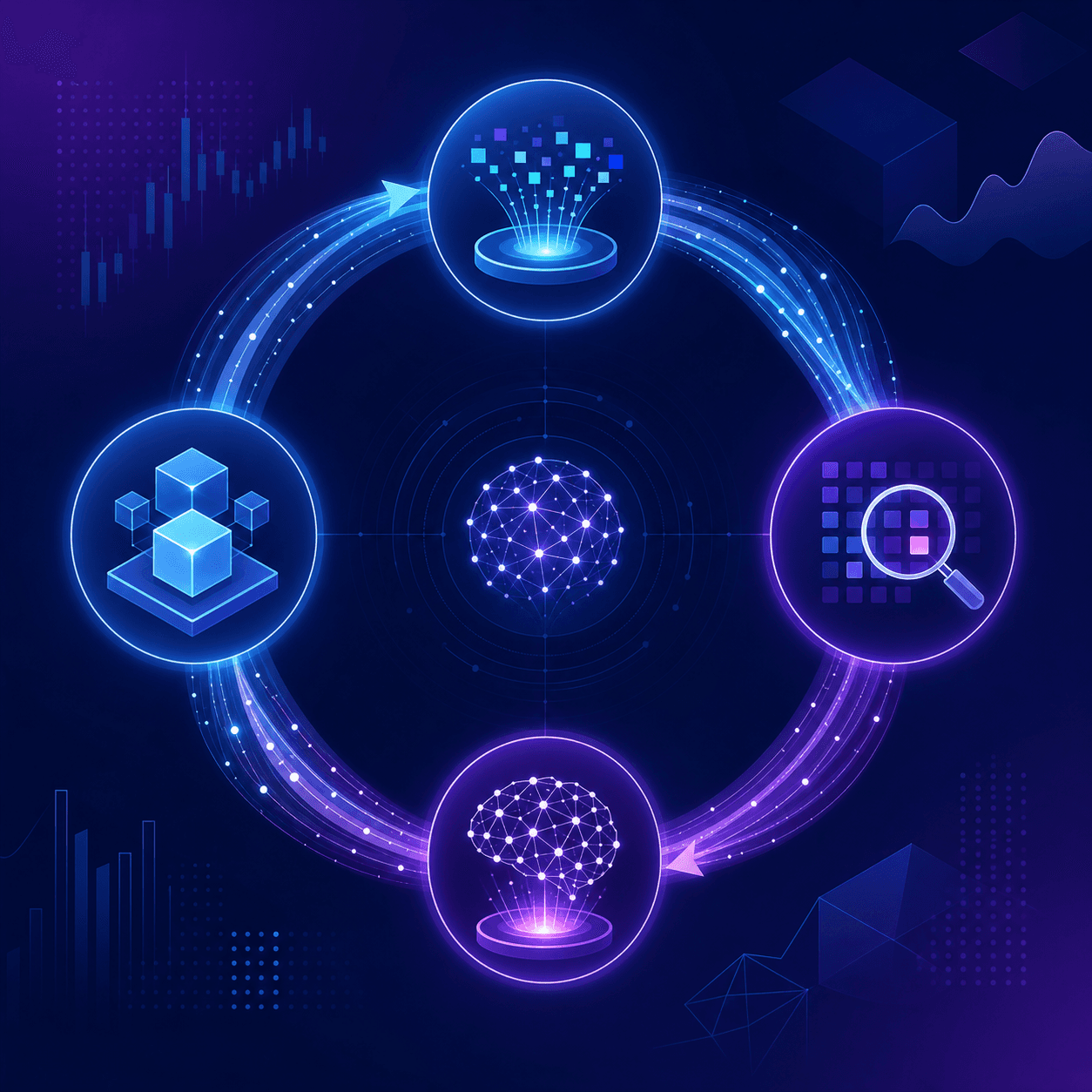
Fini’s nightly learning pipeline works exactly this way. The agent at day 90 is sharper than the agent at day 30, without anyone scheduling a tuning sprint to make that happen.
How to Automate Customer Support: A Step-by-Step Implementation Guide
Most automation projects fail before the first ticket is resolved. 62% of AI customer service project failures trace to data preparation problems, not the tech. The knowledge base is the prerequisite, not an afterthought.
Here is how to run it properly.
The six implementation steps
Pull 90 days of ticket data and find the 10 categories driving 60-70% of volume. These are your automation candidates.
Audit the knowledge base: remove outdated articles, resolve conflicting policies, and confirm every high-volume topic has a clear, current answer. If the KB is broken, the agent will be too.
Connect your helpdesk, CRM, and billing system before the first ticket goes live. The agent needs data access to resolve, not merely to respond.
Define bot-to-human escalation rules explicitly: ambiguous input, high-value accounts, regulatory complaints. Specify the conditions; do not leave them to inference.
Run a scoped pilot on one ticket category, one channel. Measure resolution rate, not deflection. Expand only after accuracy is confirmed on real production data.
Expand channel by channel: chat first, then email, then voice. Each channel adds surface area. Prove the system before widening it.
Measuring Whether Your Automation Is Actually Working
Containment and resolution are not the same number. Containment means a ticket didn’t reach a human. Resolution means the customer’s issue was actually closed. Optimizing for containment inflates your automation report while CSAT quietly drops. AI support platform accuracy and hallucination benchmarks reveal the real gap between deflection metrics and verified resolution quality.
The metrics worth tracking:
Resolution rate: what percentage of tickets the agent closed without escalation
CSAT on AI-handled tickets: cross-industry, AI-handled interactions score 5-10 points below human-handled for the same team, so watch the gap
Escalation rate: how often the agent hands off, and why
First response time: a 5-second response means nothing if the resolution takes three follow-ups
Cost per resolved ticket: not cost per message, not cost per session
The CFO question is straightforward: what did it cost to close that ticket? If your reporting only shows deflection rate, you’re measuring avoidance, not outcomes.
Compliance, Security, and Audit Requirements for Automated Support
Compliance-heavy teams cannot treat compliance as a post-launch item. If the architecture isn’t audit-ready on day one, the deployment stalls the moment a regulator or security reviewer asks questions.
Before any automated support agent touches a customer ticket in fintech or healthcare, confirm these are in place:
Every agent action is logged with a full audit trail, exportable to your SIEM or compliance team on request
PII and PHI handling follows documented data residency rules, with encryption at rest and in transit
The vendor holds SOC 2 Type II, ISO 27001, HIPAA-compliant status, and BAA eligibility for any healthcare deployment
GDPR and CCPA data subject rights are supported without manual workarounds
Escalation decisions are logged alongside resolution decisions
The vendor question that separates compliant from almost-compliant: “Can you reconstruct exactly why the agent took a specific action on ticket #12345, and export that record today?” If the answer requires a support ticket to their engineering team, the architecture isn’t audit-ready.
Common Pitfalls When Automating Customer Support
Most automation projects don’t fail because the AI is bad. They fail because the setup was wrong before a single ticket ran.
The most common failure modes:
Deploying on a broken knowledge base. If your KB has conflicting policies, outdated articles, or gaps in coverage, the agent inherits every one of those problems and compounds them at scale.
Optimizing for containment instead of resolution. The number looks good. CSAT drops. The metric was wrong from the start.
Single-channel deployment that assumes volume stays put. Chat automation that doesn’t extend to email or voice moves the queue, not the cost.
Skipping the pilot on real production data. Demos perform differently than live tickets. Stanford-MIT research found a 14% productivity gain is achievable when AI is deployed correctly, which means the gap between average and strong outcomes is almost always an implementation decision, not a capability ceiling.
The fix for most of these is sequencing: clean the knowledge base first, define the right success metric before launch, then pilot on one ticket category before expanding.
How Fini Approaches Support Automation for Fintech and Healthcare
We built Fini for the constraints that make fintech and healthcare support hard to automate: audit requirements, PII and PHI handling, and compliance scrutiny on every customer-facing AI decision.
The rollout runs three stages. Day 1 gets a Knowledge Agent live against your existing helpdesk. Day 14 connects billing, CRM, and EHR systems for real actions.
Day 30 is full autonomy across voice, chat, and email, Resolution Rate 90% at 99% accuracy.
Atlas automated 70% of fintech support journeys, moving from 15% to 70-80% with sub-60-second answers, using the same nightly learning pipeline that auto-detects knowledge gaps and queues draft articles for review.
Compliance is built in: SOC 2 · ISO 27001 · HIPAA-compliant · BAA-eligible · GDPR · CCPA. Every agent action is logged and exportable.
Fini pricing starts at $0.49 per resolution, with no per-seat fees. Custom pricing is available for high-volume needs. Plans include the platform and implementation.
Final Thoughts on Customer Support Automation for Enterprise Teams
The difference between a support operation that scales and one that just gets more expensive comes down to whether your automation actually closes tickets. Clean the knowledge base first, run a scoped pilot, and measure what matters. The right sequence gets you there faster than the right tool. Start the conversation here.
FAQ
Best AI customer support for fintech that needs SOC 2 and strong auditability?
Fini covers SOC 2 Type II, PCI DSS Level 1, ISO 27001:2022, GDPR, HIPAA-compliant, BAA-eligible, and CCPA in the standard build, not as add-ons. Every agent action is logged with a full audit trail, exportable on request. The test: ask your vendor to reconstruct exactly why the agent took a specific action on a specific ticket and export that record today. If it requires a support ticket to their engineering team, the architecture is not audit-ready.
How does an AI support agent keep improving over time without manual retraining?
The key is a nightly learning loop that ingests escalated conversations, spots knowledge gaps, and queues draft articles for review before they publish. Once approved, updates go live across voice, chat, and email the same day. Fini runs this pipeline automatically: the agent at day 90 is sharper than day 30, with no manual tuning required.
How does the proof-of-concept work, and can live tickets run through the agent during the trial?
Yes. Fini’s 100-ticket benchmark runs your real production tickets through the agent before you commit, so the resolution rate you see is based on your actual data, not a curated demo set. The 90-day risk-free trial for eligible new enterprise customers is structured the same way: live tickets, real resolutions, with a 90-Day Money-Back Guarantee. If we don’t achieve 90% resolution in 90 days, you pay $0.
How to automate customer support without making the knowledge base problem worse?
Start by auditing the knowledge base before a single ticket runs: remove outdated articles, resolve conflicting policies, and confirm every high-volume topic has a current answer. The agent inherits every gap and contradiction in your KB and compounds them at scale. 62% of AI customer service project failures trace to data preparation problems, not the technology itself.
What’s the difference between customer service automation that deflects and automation that resolves?
Deflection moves a ticket away from a human. It doesn’t close the issue. Resolution takes real action: processing a refund, updating an account, confirming an outcome, and closing the ticket. The enterprise deflection median sits at 41.2%, which means most automated customer service setups are measuring avoidance. Containment rate and resolution rate are different numbers, and optimizing for the wrong one is why CSAT drops while automation reports look healthy.
Related guides
Guides
Understanding Fini's 90-Day Money-Back Guarantee October 2026
Oct 15, 2026
Guides
Reg E Error Resolution: AI Workflow Guide 2026
Oct 13, 2026
Guides
30-Day AI Support Pilot Scorecard, October 2026
Oct 13, 2026

Guides
Knowledge Base Audit Checklist for AI Launch, 2026
Oct 13, 2026

Guides
How a Self-Updating Knowledge Base Flags Stale Docs
Oct 13, 2026

Guides
Full Guide to AI Support Resolution, Oct 2026
Oct 13, 2026

Co-founder