Last Updated:

Deepak Singla
IN this article
Explore how AI support agents enhance customer service by reducing response times and improving efficiency through automation and predictive analytics.
Your help center looks complete, but support keeps answering questions that aren't documented anywhere. Those gaps matter before your AI agent starts handling the same requests. Use unresolved and escalated tickets to find missing answers, then separate verified fixes from cases that need human approval. That's how you decide what the agent can safely answer at launch.
TLDR:
Fix 4 knowledge risks before AI launch: conflicts, stale content, gaps, and poor structure.
Start your audit with high-volume ticket categories and their high-risk policies.
Map unresolved tickets to missing answers. Keep escalation for cases needing human approval.
Trace each policy answer to 1 authoritative source, with exceptions intact.
Fini's Knowledge Atlas flags conflicting articles and surfaces knowledge gaps for human review through a nightly learning pipeline.
For a shorter pre-launch version, use the AI knowledge base readiness checklist.
Why knowledge quality determines AI agent performance
Conflicting policies and missing answers carry into your AI agent’s customer conversations. A knowledge base audit for AI agent deployment checks which answers customers can safely receive.
Cisco’s AI Readiness Index identifies data quality as a core gap. Before launch, check whether your approved knowledge supports the decisions you expect the agent to make.
What an AI agent reads
Start your knowledge base audit for AI agent launch by listing what the agent will receive:
Help center articles and approved policy documents.
Structured SOPs with internal decision steps.
Historical tickets recording customer issues and resolutions.
Confluence, Slack, and Document360 content, where integrations support access.
An approved policy outranks a Slack workaround; a resolved ticket can record a one-time exception.
Access to a source is not permission to use it as policy.
Label each source’s authority and intended use before ingestion, and plan how your system will detect conflicting answers.
The four content problems that break AI answers
Treat these as maintenance failures in your knowledge base audit for AI agent launch. Rewriting alone cannot settle policy decisions or fill knowledge gaps.
Failure mode | What breaks the answer |
|---|---|
Conflicting articles | Refund policies give different deadlines without clarifying which applies. |
Outdated content | Old instructions point customers to a retired recovery flow. |
Coverage gaps | Customer questions lack documented answers or escalation paths. |
Structural problems | Long documents bury exceptions; ambiguous terms obscure product scope. |
After policy updates, remove stale copies and document recurring resolutions. Use tools that surface knowledge gaps to identify missing coverage.
Scope your audit before you start
Auditing an entire help center can delay launch preparation. Scope your knowledge base audit for AI agent launch before ingestion.
Start with categories driving the most tickets. Review their high-risk policies first.
Include content the agent needs for planned launch tasks. Exclude unrelated product lines and retired services from ingestion.
Sample articles in each included category. Record review time and required fixes, then multiply average review time by article count to estimate effort.
Budget separate time for policy-owner approvals, especially where decisions remain unresolved, before moving toward a knowledge base that updates itself.
A step-by-step knowledge base audit process
Run your knowledge base audit for AI agent launch before ingestion. Record fixes in an audit sheet:
Inventory sources. Export article titles, locations, owners, and approval status.
Flag stale articles. Compare update dates with product changes; check instructions against recent tickets.
Find duplicates and conflicts. Group pages by topic; flag repeated text and incompatible rules.
Map gaps. Match ticket topics to documented answers; log missing coverage.
Settle conflicts. Policy owners select authoritative sources and retire competing versions.
Clean structure. Add headings, effective dates, and product-scope labels.
Detect knowledge gaps using existing tickets
Group unresolved and escalated tickets by customer question, then compare the most frequent groups with help center answers.
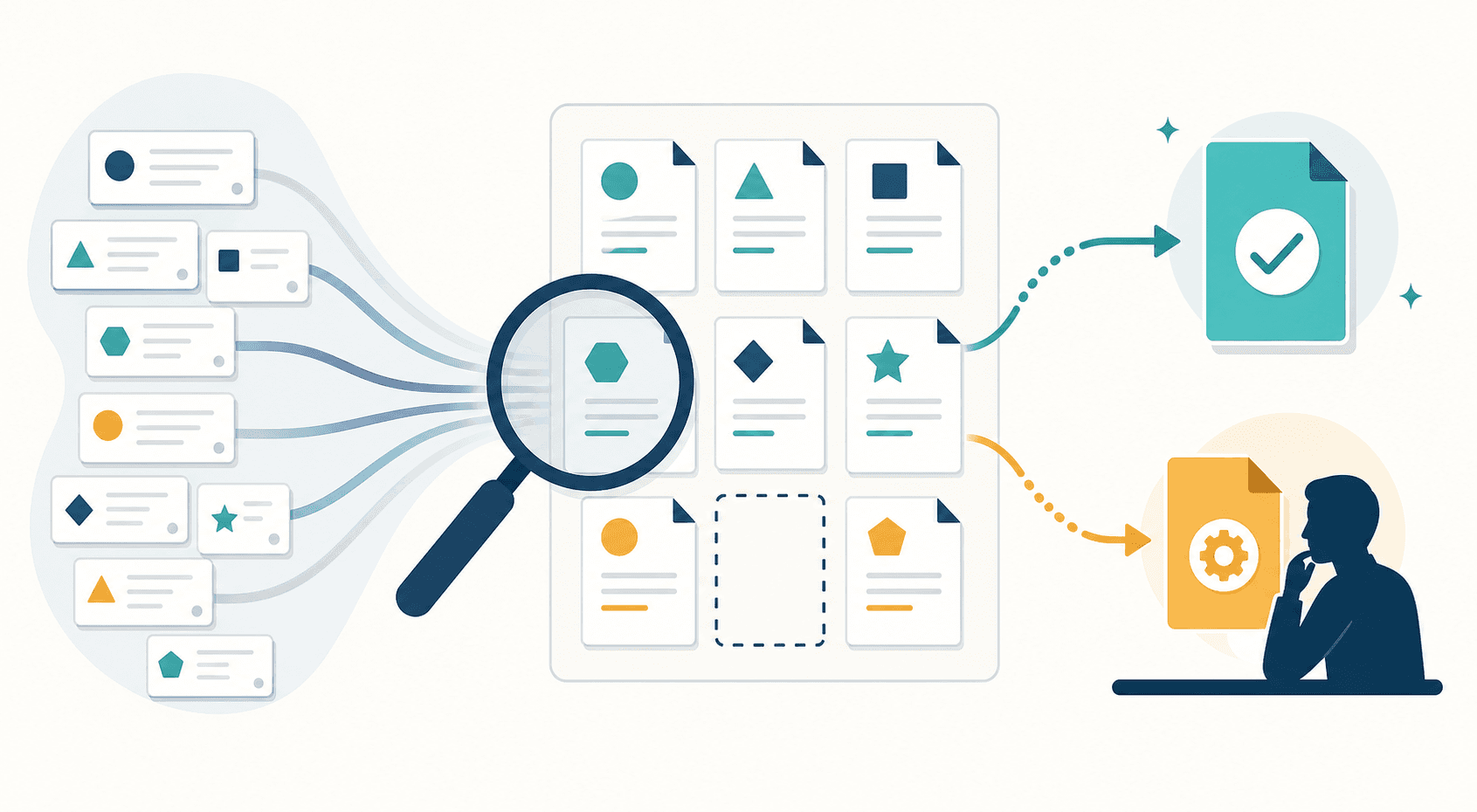
No matching article: capture the missing answer from a verified resolution.
Related article, wrong question: check for exceptions or next steps the page leaves unexplained.
Repeated failed instructions: compare the article with support’s current fix and flag outdated steps.
Separate missing knowledge from cases requiring human approval. Check whether your AI knowledge base tools make this distinction. When resolution depends on undocumented judgment, keep AI escalation in place until you approve a decision rule.
Structure content for an AI agent
Keep each article focused on one topic so its rule and exceptions stay together.
Name the customer task in clear headings.
Use consistent metadata for product, audience, and policy version.
Write plain-language policy statements with explicit conditions, the same structure needed when AI knowledge bases replace static FAQs.
Intent-based matching connects “card declined” with “why did my payment fail?” Keyword search looks for shared terms. Reliable matching requires clear structure and correct indexing, not formatting alone.
Keep incompatible conditions in separate articles to prevent answers that combine rules no approved policy supports. Check these boundaries before launch.
Connecting multiple external knowledge sources
Check connector behavior before launch as part of your knowledge base audit for AI agent deployment. Use supported connectors or APIs for Confluence, Document360, help centers, and Slack, and confirm which AI connects to Notion and Confluence before relying on it. Internal APIs can supply live account data.
Compare versions across sources and name the authoritative source when copies disagree.
Test restricted content permissions so answers respect the requester’s access. Follow OWASP’s access-control guidance to limit sensitive data access to what each user or process needs.
Match refresh schedules to source update frequency and verify deletion propagation, since reindex speed determines how quickly stale answers disappear.
If sync fails, alert the source owner and pause answers dependent on the missing update.
How AI agents handle conflicts and duplicates
Conflicting SOP articles can lead an agent without conflict checks to select obsolete rules or blend incompatible instructions. In your knowledge base audit for AI agent launch, test whether the agent compares overlapping rules and version metadata, flags disagreements, and escalates unresolved conflicts.
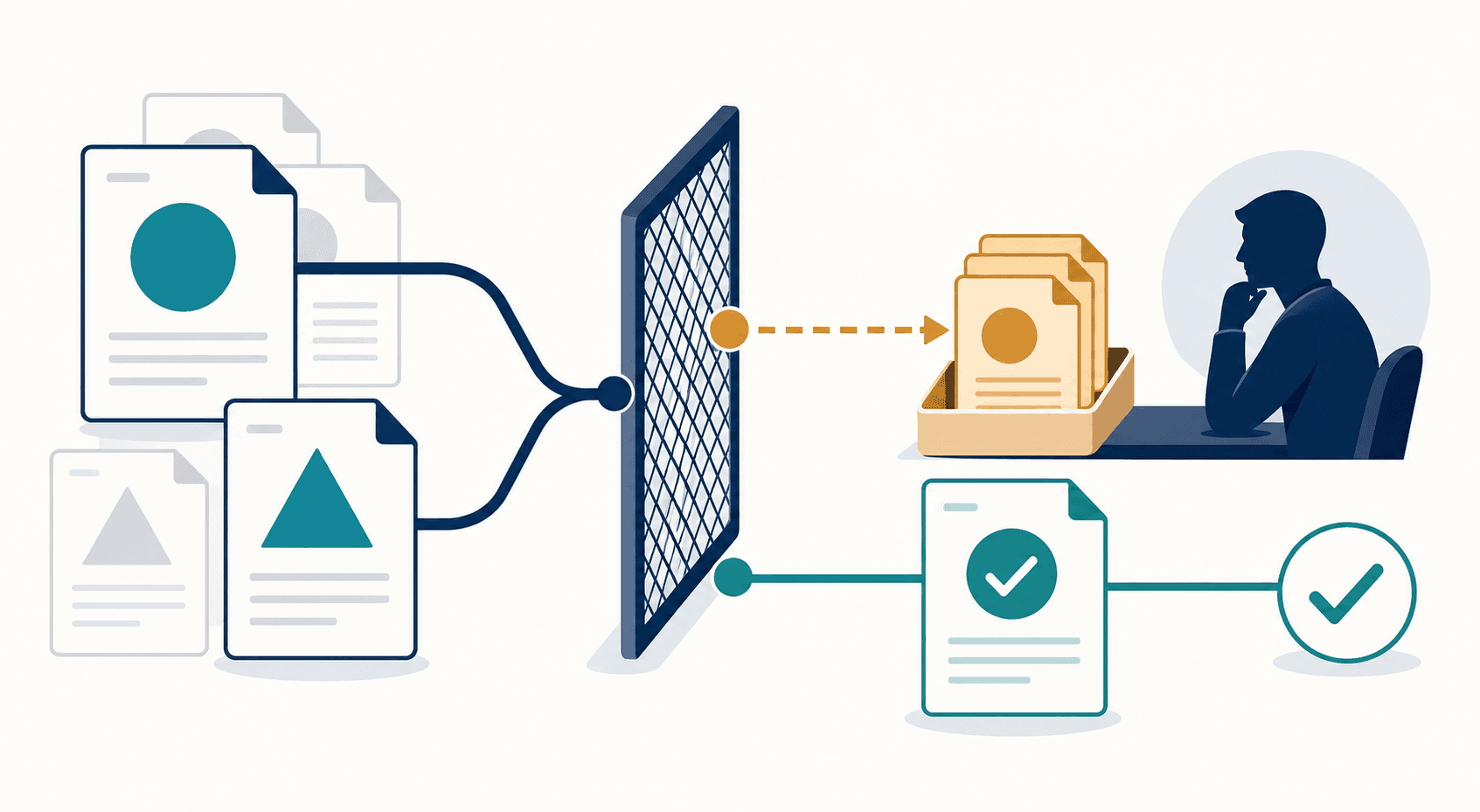
Require each policy answer to trace to one authoritative source, with exceptions intact, so reviewers can verify the decision, a standard worth checking against knowledge bases built for human agents.
In production, log the question, source version, and answer. Use those records to trace recurring obsolete guidance to the competing article, the kind of tracing tested when checking whether AI help centers spot content gaps.
How a self-maintaining agent reduces ongoing audit burden
Scheduled audits leave knowledge gaps between reviews. To reduce ongoing maintenance, require an agent with a nightly learning pipeline that checks escalated conversations, drafts article suggestions for human review, and flags competing instructions in a conflict dashboard.
The agent handles these checks in the background. Your team approves knowledge changes and settles policy disputes; the agent uses approved updates without manual model retraining. Assign named content owners to approve changes before they reach the agent, part of how teams train AI on company knowledge.
Fini's Knowledge Atlas and the self-maintaining knowledge model
Our self-maintaining Knowledge Atlas generates articles from resolved escalations, flags conflicting and outdated articles, matches intent instead of keywords, and surfaces gaps for human review through a nightly learning pipeline.
Each answer traces to one authoritative article.
Our Knowledge Atlas overview describes weekly documentation maintenance dropping from 15–20 hours to about 2 hours.
3M+ monthly resolutions across fintech and healthcare.
HIPAA-compliant, BAA-eligible.
Pricing starts at $0.49 per resolution.
Our 90-Day Money-Back Guarantee: 90% resolution in 90 days, or you pay $0.
Final thoughts on knowledge checks before launch
Conflicting policies need a decision before your agent uses them. You can name the approved source and test that each answer traces back to it. See our 90-Day Money-Back Guarantee terms.
FAQ
Should you launch Fini before auditing every article?
Yes, if you limit launch to audited topics with approved answers and clear escalation rules. Keep unaudited content outside ingestion, and route unsupported requests to your team. Expand coverage only after content owners approve the remaining policies and exceptions.
Should you replace manual QA with Knowledge Atlas?
No. Use Knowledge Atlas for recurring gap detection and conflict checks, while your reviewers test answer quality and approve policy decisions. Include reworded questions and policy exceptions in QA to check that answers stay consistent and trace to the correct source.
How do you test Fini before customer launch?
Use Fini’s simulations portal to backtest knowledge-based answers against historical tickets. Include routine questions, conflicting-policy cases, and requests that require escalation; check each answer against its approved source. Test API actions separately because simulations exclude API and browser-use scenarios.
How should you audit Slack permissions for Fini?
Test whether customer-facing answers expose internal-only Slack content before approving Slack as a knowledge source. Include questions that invite disclosure of internal procedures or private details, and check responses against the requester’s access rights. Keep sensitive channels outside ingestion until permission tests pass.
Related guides
Explore the guide topics to find more reading.
Co-founder