Last Updated:

Deepak Singla

IN this article
Explore how AI support agents enhance customer service by reducing response times and improving efficiency through automation and predictive analytics.
You're ready to automate documentation updates, but two articles give different answers about the same policy. Publishing more text won't settle which rule customers should follow. A self-updating knowledge base needs to flag that conflict, attach the sources, and leave approval with your team. Getting that review process right comes before trusting automated drafts with your help center.
TLDR:
A self-updating knowledge base detects gaps and drafts fixes. You approve publication.
Use failed searches, source conflicts, and release notes to flag stale documentation.
Merge your duplicate articles and remove retired policies before importing content.
Track failed searches, escalation rates, and unsupported answers against your launch baseline.
Fini's Knowledge Atlas turns resolved escalations into nightly drafts for human approval.
For the full breakdown of the tooling, see our guide on how self-updating support knowledge bases eliminate stale docs.
What a self-updating knowledge base is
Here, we adopt automated detection and drafting with human approval: failed searches, unanswered questions, and pages untouched for months trigger review. This differs from Dewstack's stricter self-updating knowledge base definition, which says connecting AI to auto-write revisions does not by itself qualify.
Automation handles detection and drafting. A human approves publication.
Your support team gets an evidence-backed review queue. The sections below explain how signals become proposed edits, how resolved tickets supply answers, and how to measure whether updates work.
Why knowledge bases go stale
Your help center still describes last month's rules after a product release changes the settings menu, pricing, or refund policy. Nobody owns the trigger that turns those changes into documentation work.
Support teams fall behind when updates depend on someone remembering to notify an article owner, which is why a self-updating knowledge base removes that dependency. If customer complaints are your first warning, start by defining the handoff between product changes and documentation updates. That gap is what a self-updating knowledge base needs to close.
What stale documentation actually costs
Stale instructions may lead to paid follow-ups after self-service attempts. TechTarget's cost comparison covers self-service and human-assisted support. When customers need both, you pay for both.
Helply discusses bad or stale knowledge in its AI knowledge base guide. To assess the value of a self-updating knowledge base, track human-assisted contacts caused by outdated answers.
The detection layer: flagging stale content
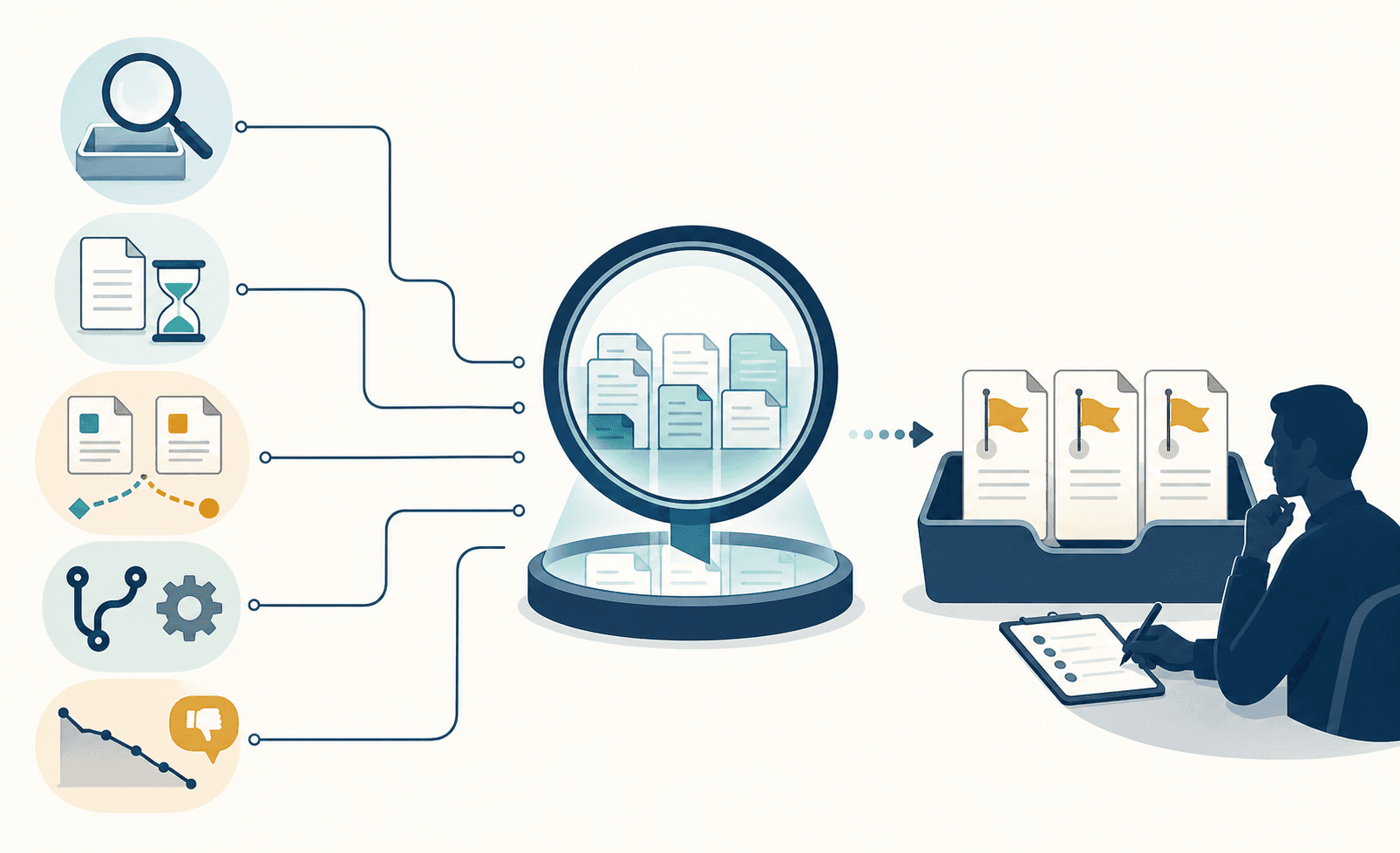
A self-updating knowledge base needs detection alerts that give article owners context to investigate. Track five signals:
Signal | What to capture |
|---|---|
Failed searches | Zero-result queries or searches without article clicks. |
Long-unedited pages | Time since review; thresholds by content type. |
Source contradictions | Changed passages and conflicting published instructions. |
Release notes and changelogs | Entries affecting documented features. |
Engagement anomalies | Negative feedback or declining helpfulness, checked against response counts. |
Treat age and engagement as review triggers. Separately, reindex speed affects how quickly updated content becomes available for retrieval. Verify errors before proposing corrections.
The update layer: drafting, flagging, and routing
After surfacing a knowledge gap, a self-updating knowledge base uses the triggering source to draft a fix: revised instructions or a new article for an undocumented answer. Sources include resolved tickets, changelog entries, and policy documents.
Once a help center spots content gaps, route the draft to its responsible reviewer with the source attached and uncertain details flagged. Require approval before publication so your team can catch unsupported instructions before customers follow them. Automation handles drafting; the reviewer controls publication.
How AI agents learn from resolved tickets
A resolved escalation contains knowledge your next customer needs, which is why a knowledge base for human agents matters. Leave the answer buried in a ticket, and the same question returns to the queue.
Our Knowledge Atlas workflow turns that solution into a self-updating knowledge base entry. AI extracts the human agent’s solution, formats an article, and files the draft in the relevant knowledge tree branch for review. Approval makes it reusable documentation.
Learning stays inside your workspace; we do not train models on customer data.
Handling conflicts and duplicate content
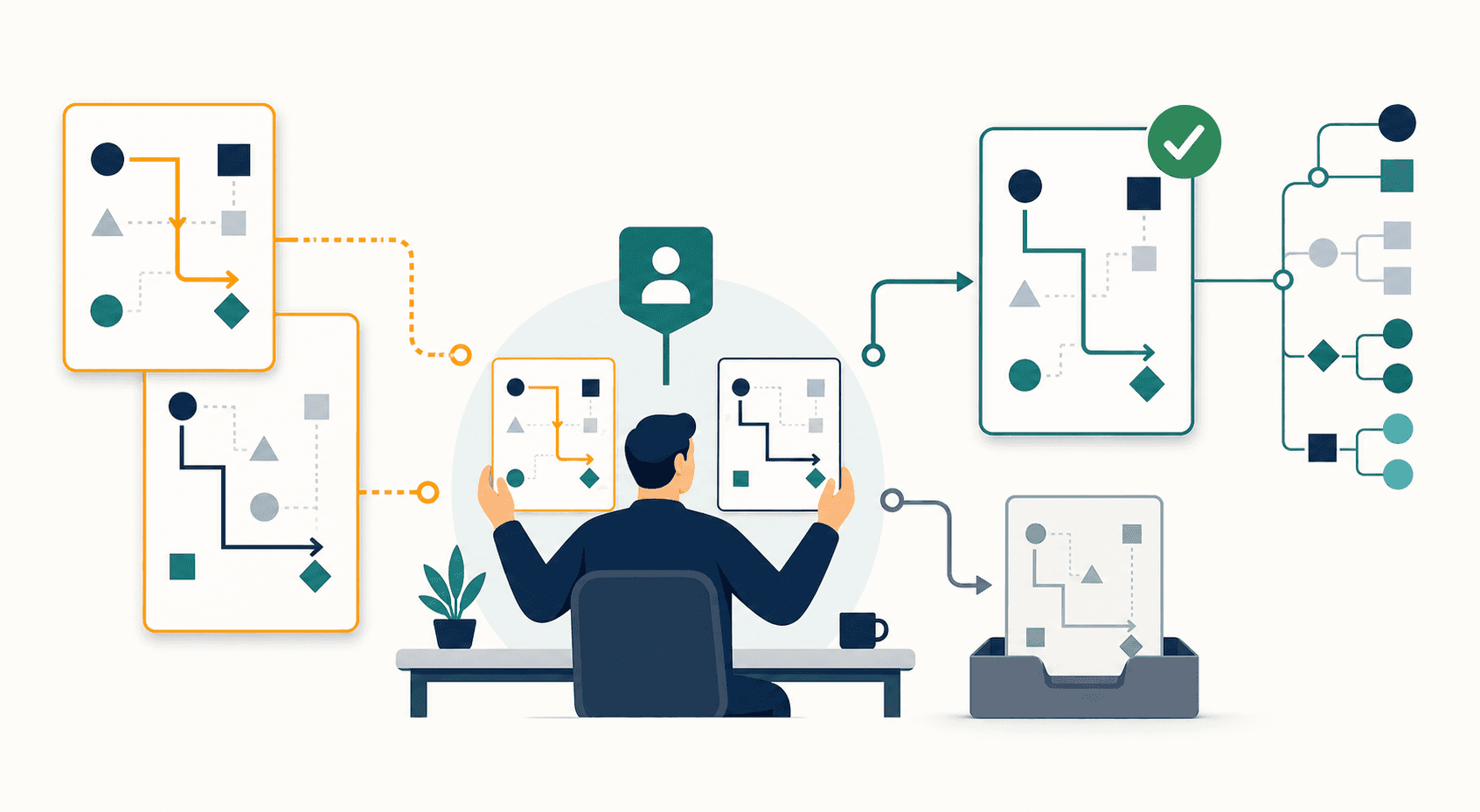
When articles disagree, a knowledge base that detects conflicting answers should flag them side by side for human review. Show source context for duplicate instructions, outdated policies, and version mismatches so reviewers can select the authoritative article and retire or correct the other.
In support subject to compliance requirements, blending conflicting articles risks guidance that matches neither approved policy. Require answers involving conflicting rules to trace to one authoritative source, so reviewers can verify the rule behind each response.
Connecting external knowledge sources
A self-updating knowledge base needs source owners and access rules before import. Inventory each source’s contents and maintainer. Supported inputs depend on available connectors:
Help center articles, Confluence, and Document360 supply documentation.
Slack channels and call transcripts capture discussions.
GitHub release notes and internal APIs supply product updates and data.
CRM and billing systems supply customer records.
Validate informal discussions before turning them into guidance. Treat low-quality or unstructured inputs as setup risks. Assign refresh schedules and keep checking sources after import.
Preparing your knowledge base before activating automation
Conflicting documentation can produce conflicting AI answers, a risk worth checking before training AI on your help center. Treat source cleanup as a QA gate before feeding a self-updating knowledge base.
Start with articles behind your highest-volume ticket types:
Merge duplicate articles into one approved version.
Use consistent names for products, settings, and support procedures.
Remove retired policies from the ingestion set.
Check guidance against current rules and actual product behavior.
Stage remaining content for later. Keep unchecked articles outside the initial import.
The editorial approval workflow
Set a weekly review slot for your self-updating knowledge base, with a designated reviewer and backup. Have AI collect flagged items, ordered by customer impact.
For each draft, approve it, reject it with a reason, or request a correction. Publish approved revisions and record each decision.
Cap each session and carry lower-risk items forward. Reviewing prepared revisions gives your team a narrower task than researching and writing replacements during a quarterly audit.
Measuring self-updating knowledge base performance
Set a baseline before launch, then compare results after updates. Track two groups of metrics for your self-updating knowledge base:
Traditional KB metrics: page visits, failed searches, helpfulness ratings, contact rate, and content freshness.
AI-specific metrics: answer acceptance rate, escalation rate, citation quality, and unsupported response rate.
Check sampled answers against approved sources through human review. If traffic and unsupported answers both rise, investigate before expanding coverage. Build accuracy reporting into setup so your team can verify automated updates.
How Fini's Knowledge Atlas closes documentation gaps
Resolved escalations should not leave the same knowledge gaps open. We launched Knowledge Atlas, our self-updating knowledge base engine, to close that loop through:
Auto-generated articles from resolved escalations.
Conflict detection with a review dashboard.
Intent-based search.
Tree-structured, single-source answer attribution.
Nightly drafts that require human approval before publication.
Knowledge Atlas cuts documentation work from 15–20 hours a week to 2.
Learning stays workspace-local. We never train models on customer data.
Final thoughts on better knowledge base upkeep
Automation drafts the changes, but you control what you publish. Start with your busiest support topics and check answers against approved sources. Read the Atlas story.
FAQ
Should Knowledge Atlas replace your manual QA?
No. Use Knowledge Atlas to automate gap detection and drafting, while your reviewers check policy accuracy and approve publication. Keep sampling customer-facing answers after publication: approving an article does not prove every response applies it correctly.
Should you trust Slack discussions as policy?
No. Treat Slack discussions as candidate knowledge until the policy owner confirms the instructions against an approved source. If Slack contradicts Confluence or Document360, resolve the disagreement before importing that guidance into your self-updating knowledge base.
How do you correct misleading Fini answers?
Start with the source article behind the answer and check whether it contains outdated rules, missing exceptions, or unclear instructions. Correct and approve the source, then test the original question and several reworded versions. If the source is correct but the answer remains wrong, send the conversation and expected answer for investigation instead of changing valid policy.
Related guides
Explore the guide topics to find more reading.
Co-founder