Fini connects to Zendesk through an app on the Zendesk Marketplace. Once it is authorized, Fini replies to incoming tickets on Zendesk Messaging and Zendesk email, resolves what it can on its own, and passes everything else to a human agent with the conversation and action history attached. Nothing moves out of Zendesk: tickets, macros, views, and SLAs stay where they are.
What Fini does inside Zendesk
Replies on Messaging and email. When you authorize the app, Fini creates the webhooks and triggers that tell it when a new message arrives on an email or messaging ticket, so it picks up both channels.
Escalates with context. When a ticket needs a person, Fini marks the ticket with the escalation field Fini creates in Zendesk. Your existing triggers and views can route on that field, and the agent who picks it up sees the whole conversation.
Writes internal notes (optional). An Internal Comment rule in Reply Rules makes Fini post an internal note instead of a public reply, which helps while your team reviews its work.
Maps Fini tags to Zendesk tags. Fini's output tags can be mapped to Zendesk ticket tags, so your views, triggers, and reporting react to how Fini classified the conversation.
Stays out of tickets you exclude. Fini creates a ticket field that marks tickets it should skip. A Zendesk trigger that sets it keeps Fini off that ticket. To pause Fini on all Zendesk traffic, add a No Reply rule for the Zendesk integration in Reply Rules.
Routes by brand and channel. Map a different Fini agent to each Zendesk brand, separately for email tickets and chat conversations. Leave the brand list empty and that agent answers every brand on that channel.
What you need before you start
A Fini account with at least one agent already created.
A Zendesk admin who can authorize the app.
Your Zendesk subdomain (for acme.zendesk.com it is acme).
The Zendesk Marketplace listing notes that advanced customizations use the Sunshine Conversations API, included in Zendesk Suite Professional and above.
How setup works
In Fini, open Deploy, then Zendesk, and enter your Zendesk subdomain.
Click Authorize Integration and sign in with a Zendesk admin account to approve Fini's read and write permissions. Fini creates two ticket fields (one for tickets to skip, one for escalated tickets), plus the webhooks and triggers it needs.
Back in Fini, map an agent to each brand for email and for chat.
Set the email and chat response delays and any Reply Rules, such as no reply when a human agent is assigned.
Step-by-step setup guide: Zendesk setup in the Fini docs.
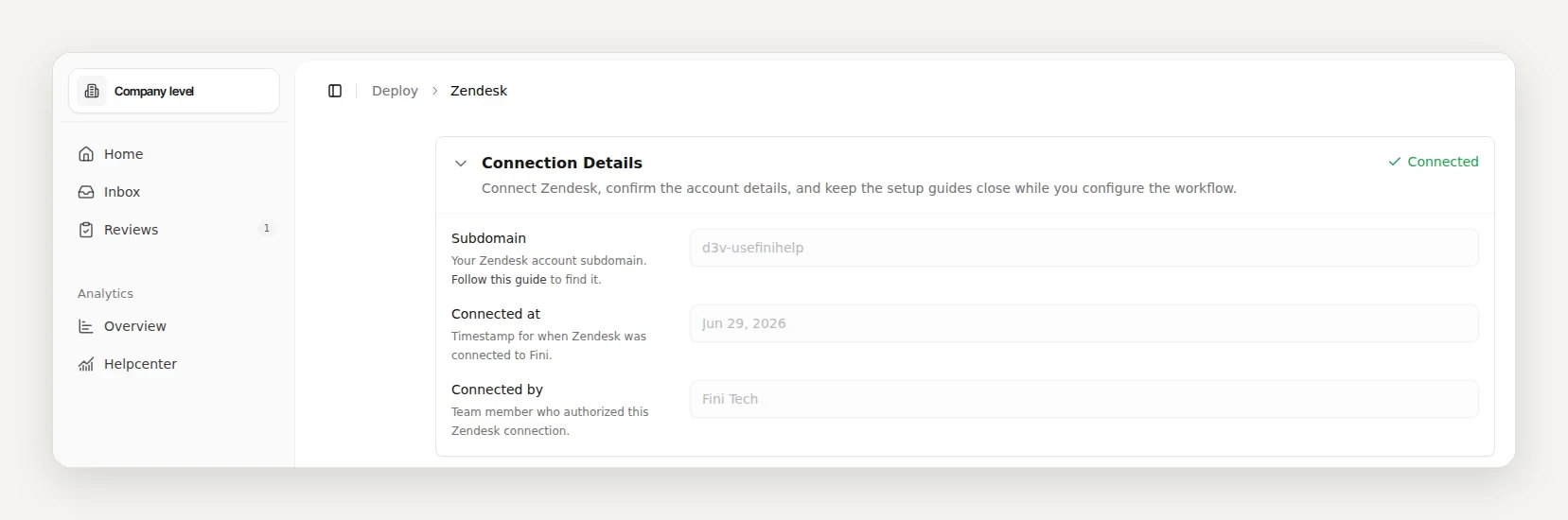
One detail to plan for: Fini's replies are posted as the Zendesk user who authorized the app, so decide which user that should be before you connect.
Fini's standard rollout is live in 14 days, fully autonomous in 30. The time goes into learning from your real tickets, not into the connection itself.
Zendesk AI or Fini?
If you are weighing Fini against Zendesk's own AI agents, the Zendesk AI vs Fini comparison walks through the differences.
Want to see it on your own data first? Book a call and send us 1,000 real tickets. We will show you what Fini resolves before you commit.
Does Fini replace Zendesk?
No. Fini runs inside your existing Zendesk account as an app. Your tickets, macros, views, and SLAs stay in Zendesk, and your agents keep working there.
Which Zendesk channels does Fini answer?
Email tickets and chat (Messaging) conversations. When you authorize the app, Fini creates the webhooks and triggers that tell it when a new message arrives, so it picks up both channels.
How does Fini hand a ticket to a human?
It marks the ticket with the escalation field Fini creates in Zendesk and leaves the conversation history on the ticket, so your triggers and views can route it and the agent sees everything the customer already said.
Can I stop Fini from replying to certain tickets?
Yes. Fini creates a ticket field that marks tickets it should skip. A Zendesk trigger that sets it keeps Fini off that ticket. To pause Fini on all Zendesk traffic, add a No Reply rule for the Zendesk integration in Reply Rules.
Which Zendesk plan do I need?
The Zendesk Marketplace listing notes that advanced customizations use the Sunshine Conversations API, which Zendesk includes in Suite Professional and above. The listing shows the app as a free integration; Fini's own pricing applies separately.