Fini is available in the Gorgias App Store. It works on the Gorgias account your team already uses, so there is nothing to migrate.
What Fini does in Gorgias
Replies on email and chat. Fini answers customer questions in real time, around the clock.
Writes internal notes (optional). Fini can add internal notes to tickets for your agents.
Maps Fini tags to Gorgias tags. Several Fini tags can map to one Gorgias tag (for example refund_request and cancellation_request to billing-issues), which then drives your Gorgias rules, assignments, and views.
Hands off with a tag. When a ticket needs a person, Fini tags it fini_escalated_human_agent, so your Gorgias rules and views can route it.
Stays out of tickets you exclude. Tag a ticket Fini Skip Webhook and Fini skips it.
Receives widget escalations as new Gorgias tickets.
How setup works
In Fini, open Deploy, then Gorgias.
Enter your Gorgias subdomain and the sender email Fini should reply from.
Click Authorize Integration and sign in with a Gorgias admin account. Fini creates a webhook and its tags: fini_escalated_human_agent, fini_resolved, fini_waiting_for_customer, Fini Other Category, and Fini Skip Webhook.
Pick one agent for email and one for chat, set the response delays, and map Fini tags to Gorgias tags.
Step-by-step setup guide: Gorgias setup in the Fini docs.
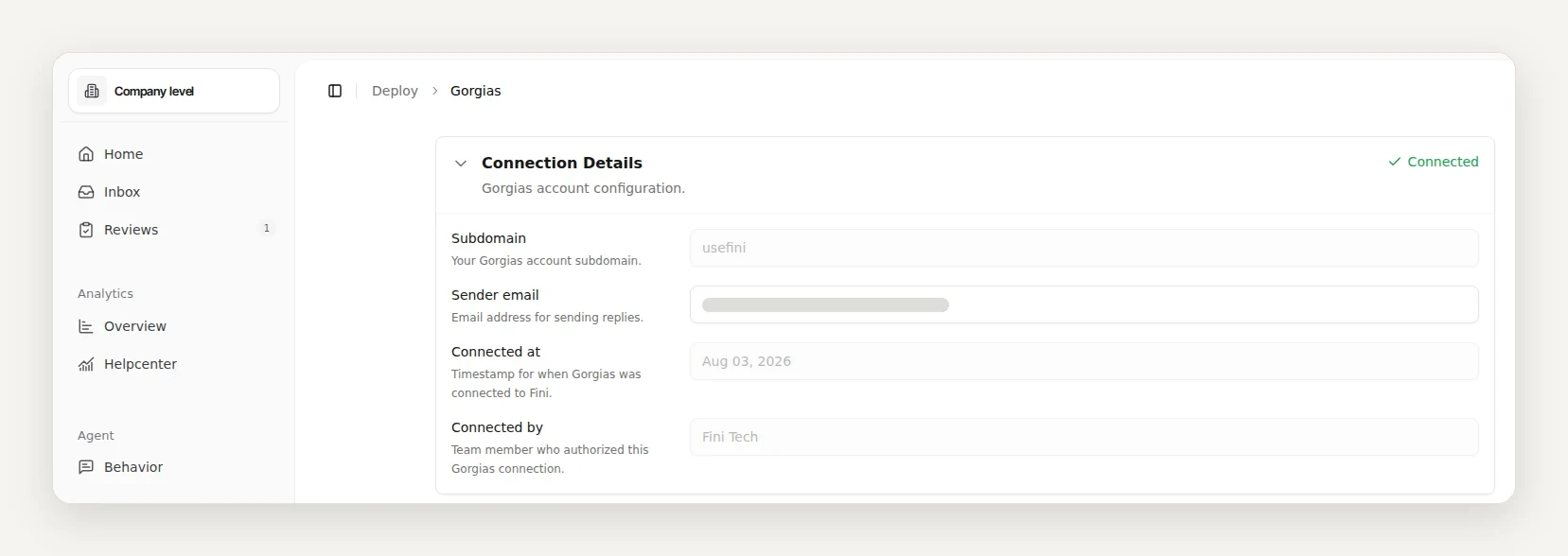
One detail to plan for: Fini's replies are posted as the Gorgias user who authorized the app, from the sender email you set.
Fini's standard rollout is live in 14 days, fully autonomous in 30.
Want to see it on your own data first? Book a call and send us 1,000 real tickets. We will show you what Fini resolves before you commit.
Is Fini in the Gorgias App Store?
Yes. Fini AI is listed in the Gorgias App Store. You connect it from Fini: open Deploy, then Gorgias, enter your subdomain and sender email, and authorize with a Gorgias admin account.
Which Gorgias channels does Fini answer?
Email and chat. Fini replies to customer questions on both in real time.
How does Fini hand a ticket to a human?
It tags the ticket fini_escalated_human_agent. Your Gorgias rules and views can route on that tag, and the agent sees the full conversation.
Can I keep Fini off certain tickets?
Yes. Tag those tickets Fini Skip Webhook, or add a No Reply rule for Gorgias in Reply Rules to pause Fini on all Gorgias traffic.
Do I need to migrate to use Fini with Gorgias?
No. Fini connects to your existing Gorgias account over OAuth. Your tickets, macros, and rules stay in Gorgias.