Fini is an AI support agent that runs on top of your existing helpdesk, and Salesforce is one of the platforms it connects to. Fini's Salesforce integration works on Service Cloud cases: it reads incoming case emails and case comments and replies inside the Case timeline, as a public Email Message or an internal Case Comment.
What stays the same
Your cases, queues, and routing rules stay where they are. There is no migration and no second system for your agents to learn, which means a Service Cloud team can evaluate Fini against live Salesforce cases without moving anything.
How Fini works alongside Salesforce
Learns from your real tickets. Fini learns from your past support conversations and your knowledge sources.
Hands off with context. When a case needs a person, Fini sets the Fini Transfer checkbox on the case, so your assignment rules and views can pick it up with the full case timeline.
Takes actions in your systems. Through integrations and custom APIs, Fini can run actions such as refunds, account updates, cancellations, and order changes, each with an audit trail.
Works on email cases. In Salesforce, Fini replies to Email Messages and Case Comments. There is no Salesforce chat channel. Fini's widget can also escalate conversations into Salesforce as new Cases.
Agentforce or Fini?
Salesforce sells its own agent layer, Agentforce, and in September 2026 it completed the acquisition of Fin (formerly Intercom), which it is folding into Agentforce. The main difference is architectural: Agentforce assumes Salesforce is your system of record, your knowledge base, and your data layer, while Fini runs on whichever helpdesk you use. Agentforce vs Fini covers pricing and knowledge ownership in detail.
Getting started
In Salesforce, create a Connected App with OAuth enabled and the api, id, and refresh_token scopes, then copy its Consumer Key and Consumer Secret.
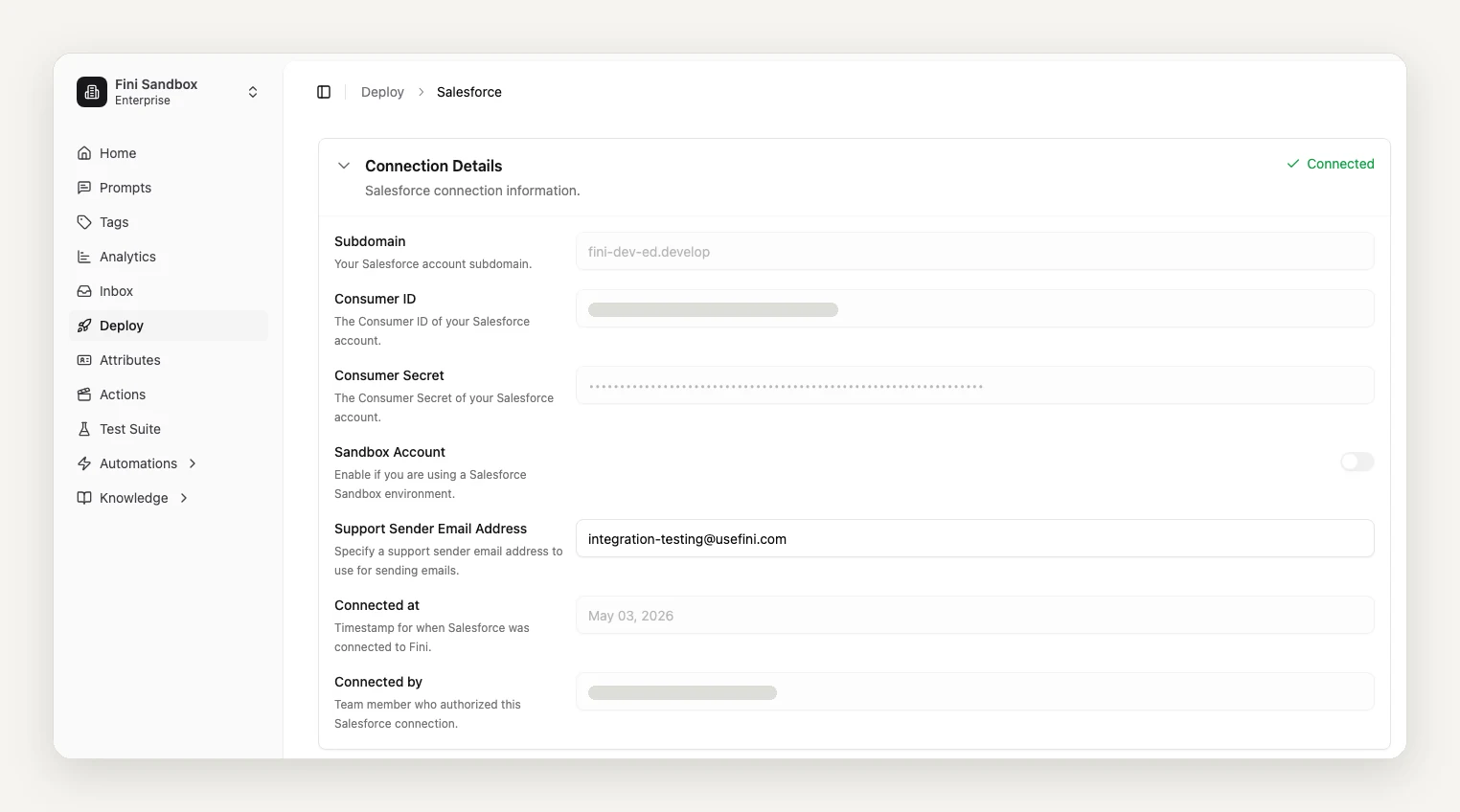
In Fini, open Deploy, then Salesforce, enter your subdomain, the key and secret, the sandbox toggle, and the support sender email, then click Authorize Integration.
Check that the two custom Case fields exist: Fini Skip Webhook and Fini Transfer.
Build the two record-triggered Flows that send new Email Messages and Case Comments to Fini.
Salesforce is the most setup-heavy integration: plan 30 to 45 minutes for the Flows the first time. If you only use Salesforce as an escalation destination for Fini's widget, step 2 is all you need.
Fini's standard rollout is live in 14 days, fully autonomous in 30.
Step-by-step setup guide: Salesforce setup in the Fini docs.
Want to see it on your own data first? Book a call and send us 1,000 real tickets. We will show you what Fini resolves before you commit.
Does Fini work with Salesforce Service Cloud?
Yes. Fini's Salesforce integration replies on Service Cloud email cases, as Email Messages or internal Case Comments. Your cases, queues, and routing rules stay where they are.
Do I have to migrate out of Salesforce to use Fini?
No. Fini runs on top of your existing Salesforce org, so there is nothing to move and no new system for your agents to learn.
How is Fini different from Agentforce?
Agentforce is the agent layer of the Salesforce platform, so using it means Salesforce is your system of record, knowledge base, and data layer. Salesforce also now owns Fin (formerly Intercom), which it is folding into Agentforce. Fini runs on top of whichever helpdesk you use, Salesforce included.
What happens when Fini can't resolve a case?
It sets the Fini Transfer checkbox on the case, so your assignment rules and views can pick it up, and the agent sees the full case timeline. The customer doesn't have to start over.
Can I keep Fini off a specific case?
Yes. Check Fini Skip Webhook on the case and Fini skips it.
How long does it take to go live on Salesforce?
Fini's standard rollout is live in 14 days, fully autonomous in 30.