Fini is listed on the HubSpot App Marketplace. Once connected, it works on the conversations and tickets in your HubSpot Inbox, using the contact records tied to them. There is no migration, and conversations, tickets, and contacts stay in HubSpot.
What Fini can do in HubSpot
Reply to customers. Fini replies on email tickets and chat conversations from your HubSpot Inbox, using the contact record to personalize replies.
Links escalations to the right contact. Escalation tickets from Fini's widget are associated with the matching HubSpot contact.
Writes status to the ticket. Fini sets fini_escalated_human_agent, fini_resolved, or fini_waiting_for_customer ticket properties.
Escalate edge cases. Cases that need a person go to your team with the full conversation and action history.
Maps Fini tags to ticket properties. For example, refund_request can set Support topic to Refunds.
Receives widget escalations as a native Help Desk thread, a ticket, or a support-form submission.
Show what customers ask about. Tracking, trend analysis, and voice-of-customer synthesis across the conversations Fini handles.
What you need before you start
A HubSpot user who can install apps (typically a Super Admin).
A HubSpot Inbox with at least one connected email or chat channel.
A Fini account with at least one agent already created.
How setup works
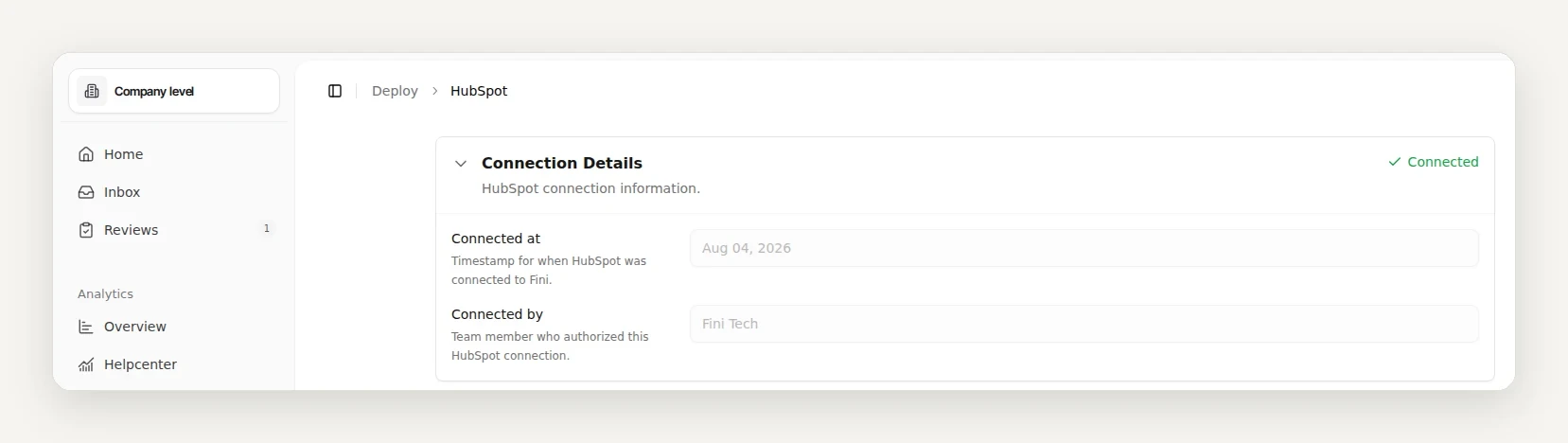
In Fini, open Deploy, then HubSpot, and click Authorize Integration. There is no portal ID or key to enter.
Sign in with a HubSpot user who can install apps (typically a Super Admin), pick the HubSpot account, and approve the requested scopes.
Back in Fini, pick the agent for email and for chat, optionally limited to specific channel accounts, and set the response delay.
Step-by-step setup guide: HubSpot setup in the Fini docs.
Fini's standard rollout is live in 14 days, fully autonomous in 30. The time goes into learning from your real tickets, not into the install.
Want to see it on your own data first? Book a call and send us 1,000 real tickets. We will show you what Fini resolves before you commit.
Is Fini on the HubSpot App Marketplace?
Yes. Fini AI is listed on the HubSpot App Marketplace. You connect it from Fini: open Deploy, then HubSpot, and click Authorize Integration. The app requires a Fini subscription.
What HubSpot data does Fini use?
Fini reads conversations, tickets, and the contact records tied to them, and writes replies, internal comments, and ticket property values back.
Can Fini update HubSpot tickets?
Yes. It writes conversation-status properties and any Fini tag mappings you set to the ticket, and creates a ticket when its widget escalates a conversation to HubSpot.
Do I need to move off HubSpot to use Fini?
No. Fini works inside your existing HubSpot account. Conversations, tickets, and contacts stay where they are.
How long does it take to go live on HubSpot?
Fini's standard rollout is live in 14 days, fully autonomous in 30.