IN this article
Explore how AI support agents enhance customer service by reducing response times and improving efficiency through automation and predictive analytics.
You want every support conversation checked, but answer checks and conversation scoring aren't the same purchase. One checks replies before sending; the other reviews conversations against your QA rubric. We'll compare what these tools actually cover, where their 100% claims need verification, and which workflows fit your human and AI support teams.
TLDR:
Manual QA sampling leaves unreviewed conversations where failures can go undetected.
Verify automated QA vendors’ 100% coverage claims against supported channels and conversation types.
Test scores against your rubric. 100% coverage does not prove scoring accuracy.
Check calibration, agent disputes, coaching tasks, compliance evidence, and billing units.
Fini's answer accuracy is not a QA scoring benchmark.
How AI conversation scoring works
AI conversation scoring software checks support conversations against a written quality rubric. It scores answer accuracy, policy adherence, tone, and issue resolution.
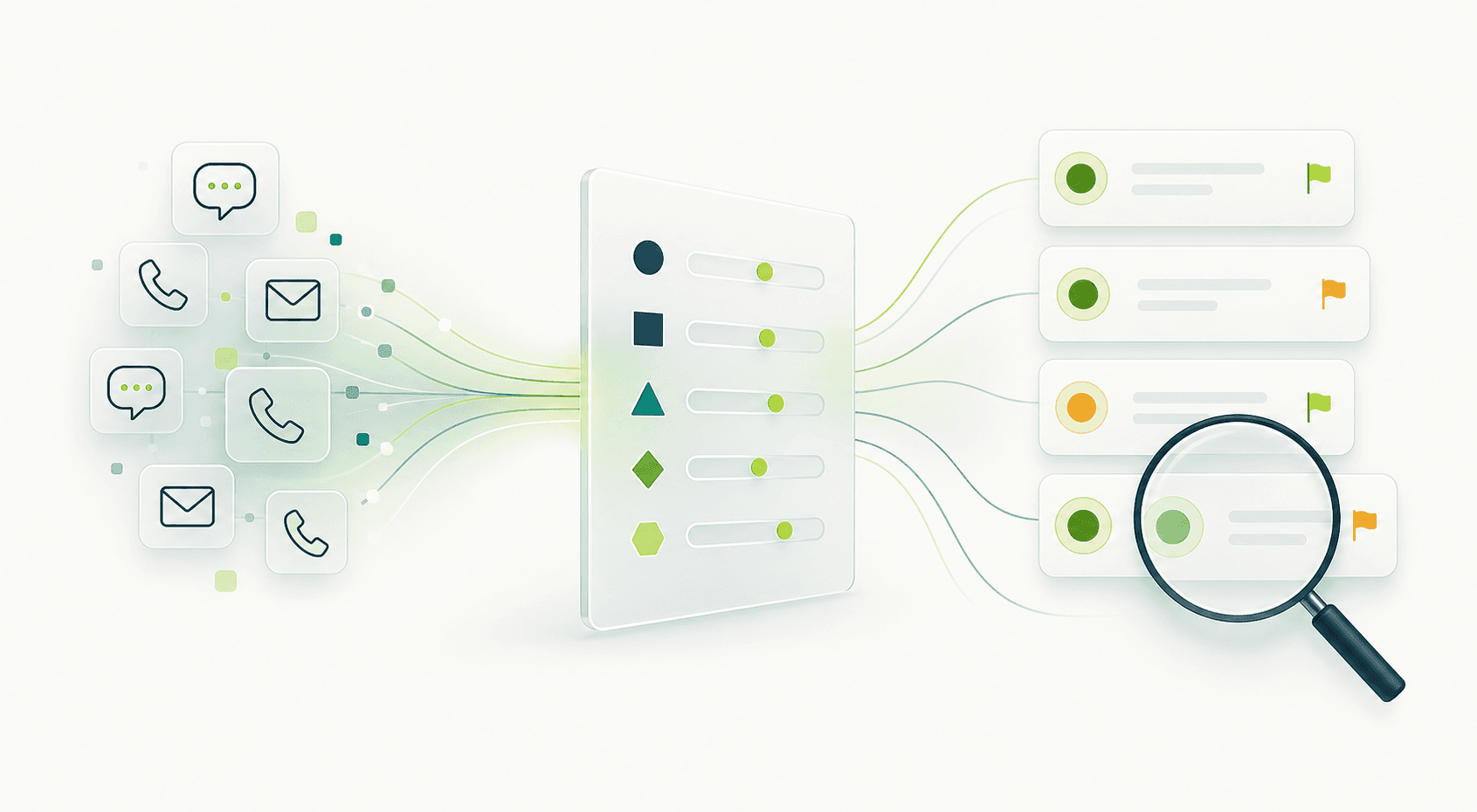
Manual QA sampling leaves unreviewed conversations where compliance failures and coaching opportunities can go undetected.
For automated QA, verify any 100% coverage claim against the vendor's supported scope across voice, chat, and email.
Coverage measures how many conversations a tool scores. Accuracy measures whether those scores are correct.
When comparing AI support platforms for ticket quality, check supported channels and scoring scope, then test scores against your rubric.
How we ranked these tools
We compared documented capabilities across six criteria for AI conversation scoring tools. This is a buying framework, not a hands-on benchmark. Check requirements against your support workflow.

Coverage: Does full-volume scoring cover AI agent and human-handled conversations?
Rubric control: Can you change criteria, weights, and failure thresholds?
Calibration and disputes: Can reviewers correct scores and agents challenge deductions?
Coaching: Can flagged conversations become assigned tasks with follow-up?
Compliance: What evidence supports access controls and contractual safeguards?
Pricing transparency: Are billing units, minimum commitments, and extra charges clear before you commit?
Fini: autonomous support with pre-send checks
See the TL;DR distinction between answer accuracy and QA scoring.
Our autonomous AI support agent covers voice, chat, and email with audit trails.
Answers receive confidence scores and policy checks before sending.
Confidence determines automatic resolution, drafts, or escalation.
PII redaction masks phone numbers and emails before processing.
Compliance: SOC 2 Type II · ISO 27001:2022 · PCI DSS Level 1 · HIPAA-compliant · BAA-eligible · GDPR · CCPA. Confirm separate requirements for scoring human-handled conversations.
Deploy in 2 mins, fully live in 14 days and fully autonomous in 30 days. 90% resolution at 99% accuracy.
90-Day Money-Back Guarantee: 90% resolution in 90 days, or you pay $0. Eligibility and terms apply.
Intryc
Intryc suits teams buying standalone QA for conversation review and coaching. Its customer support QA guide describes scoring human and AI conversations against custom scorecards.
What they offer
Chat, email, and voice scoring with full conversation coverage.
Calibration and dispute workflows for reviewers.
Coaching and training triggers tied to score thresholds.
A 90% scoring accuracy promise.
AutoQA pricing is not per-seat.
Treat Intryc as post-conversation QA. Check autonomous resolution and pre-send decision checks separately. Before buying for compliance-sensitive work, request certification evidence and contractual safeguards; the supplied sources do not verify that scope.
EvaluAgent
EvaluAgent suits contact centers buying QA and coaching with seat-based pricing. Its published AutoQM pricing details list AutoQM & Improvement from $35 per user per month.
What they offer
Automated scoring of 100% of conversations.
Voice transcription, multi-language support, custom scorecards, and coaching workflows.
AutoQM + Conversation Intelligence from $65 per user per month, including sentiment, intent, and predictive CSAT.
Budget by human-agent headcount, accounting for advertised volume discounts. Confirm gamification, billing terms, AI-agent conversation coverage, and upgrade requirements directly. The supplied pricing evidence does not verify HIPAA or PCI DSS status.
Zendesk QA
Zendesk QA, formerly Klaus, is Zendesk's native QA add-on.
Pluno's Zendesk QA product guide describes AutoQA scoring for tone, empathy, and whether agents offered a solution.
What they offer
AutoQA scoring of all resolved Zendesk tickets.
Customizable scorecard templates.
Coaching and calibration within Zendesk workflows.
QA for Zendesk-native AI resolutions.
For Zendesk-only teams, this avoids another QA integration.
If you use Intercom, Salesforce Service Cloud, Freshdesk, or voice outside Zendesk Talk, confirm ingestion and scoring support. Require a walkthrough using those conversations and check compliance requirements before adopting company-wide QA.
Rippit
Rippit is the new name for MaestroQA.
Its official rebrand announcement describes an AI agent builder beyond QA.
What they offer
QA agents that score every support conversation.
Snowflake, BigQuery, and Redshift integrations for reporting.
Desktop screen capture for compliance evidence.
AskAI for plain-language conversation queries.
Ask Rippit to confirm the implementation timeline and pricing for your QA requirements.
Shortlist Rippit for QA feeding existing BI infrastructure or screen recordings synced to call audio. Confirm coaching scope and setup time.
Fini’s autonomous support resolution timeline is not a standalone QA rollout benchmark.
Observe.AI
Observe.AI is one of several voice QA and coaching tools. Shortlist it if inbound calls dominate your support workload.
What they offer
Ask Observe.AI to show the following AutoQA capabilities:
Full-call scoring coverage and AI-generated scorecards.
Post-interaction analytics, including sentiment analysis.
Coaching workflows tied to call scores.
Compatibility with Genesys, Avaya, or Five9.
The supplied extract does not verify chat and email scoring depth or healthcare contractual safeguards. Before buying, request proof of those capabilities, ask for HIPAA-compliant, BAA-eligible terms, and test your actual channel mix.
AI conversation scoring tools compared
“Verify” requires vendor evidence. Fini documents answer checks and autonomous resolution; confirm standalone QA scorecards before selecting AI conversation scoring tools.
Capability | Fini | Intryc | EvaluAgent | Zendesk QA | Rippit | Observe.AI |
|---|---|---|---|---|---|---|
Full-volume QA | Verify | Yes | Yes | Resolved tickets | Yes | Verify |
AI-agent scoring | Answer checks | Verify | Verify | Verify | Verify | Verify |
Custom rubrics | Verify | Yes | Yes | Verify | Yes | Verify |
Pre-send guardrails | Yes | Verify | Verify | Verify | Verify | Verify |
Voice/chat/email | Yes | Yes | Yes | Verify | Verify | Verify |
Coaching | Verify | Yes | Yes | Verify | Verify | Verify |
Calibration/disputes | Verify | Yes | Verify | Verify | Verify | Verify |
How Fini checks support quality
Support quality suffers when instructions conflict or policies go stale, which is why tracking customer service KPIs for AI support teams matters.
Fini pairs autonomous resolution with quality checks built into reply handling.
Our Knowledge Atlas flags contradictory instructions and outdated policies.
Pricing starts at $0.49 per resolution.
Deploy in 2 mins, fully live in 14 days and fully autonomous in 30 days. 90% resolution at 99% accuracy.
90-Day Money-Back Guarantee: 90% resolution in 90 days, or you pay $0. Eligibility and terms apply.
Final thoughts on AI support quality
Scoring replies and checking them before sending serve different needs. You can use that distinction to narrow your shortlist.
See our 90-Day Money-Back Guarantee.
FAQ
Should you choose Intryc, EvaluAgent, or Fini?
Start with your goal: scoring support conversations or resolving customer issues autonomously. Shortlist Intryc and EvaluAgent for standalone QA and coaching, and Fini for autonomous resolution with pre-send checks. Before signing, test your channels, rubric, and human-handled conversation coverage.
Which QA tool should you test first?
If your conversations stay inside Zendesk, start by testing Zendesk QA against your existing review workflow. Compare Intryc when calibration and disputes matter, and Rippit when QA findings need to feed your BI reporting. Ask your QA lead to configure a scorecard and assign follow-up work during each vendor walkthrough.
How should you test vendors’ scoring accuracy?
Give each vendor the same historical conversations and written rubric, then compare its scores with your reviewers’ judgments. Include policy failures, unresolved issues, and examples from every channel you use. Track missed failures and incorrect deductions separately before trusting aggregate accuracy claims.
What do Zendesk QA and Observe.AI cover?
Ask each vendor to score a complete reporting period, then compare scored conversations with source-system totals by channel and ticket status. Check unresolved tickets, failed imports, missing transcripts, and AI-handled conversations for exclusions. Full coverage within a supported scope does not prove coverage across your entire support workload.
Can you replace Intryc or EvaluAgent with Fini?
Do not treat Fini’s answer checks as proof of standalone QA coverage for human-handled conversations. Fini’s answer accuracy and a QA tool’s scoring accuracy measure different outcomes.
If your team needs custom scorecards, reviewer calibration, disputes, and coaching assignments, request a walkthrough of those exact workflows before replacing Intryc or EvaluAgent.
Related guides
Explore the guide topics to find more reading.
Co-founder